
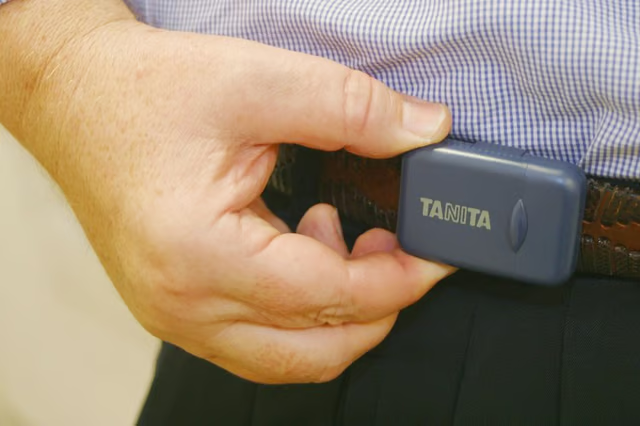
Walking is an excellent exercise for almost anyone of any age. To make walking a part of a regular fitness routine you’ll need a way to track your progress to ensure you’re walking as far as you should. For example, a common target is 10,000 steps throughout each day, which is the equivalent of about 30 minutes of physical activity. A pedometer translates your movements into the number of steps you take. Many versions then calculate how far you’ve walked. Different types of pedometers may feature a few different setup steps, but the overall procedure should be similar for most devices.
Determine Stride Length
Measure and mark a distance of 20 feet. For example, you can take a long tape measure onto a sidewalk, then mark the starting and ending points with chalk. Alternatively, go to a local school with an athletic field and use the existing markings. Ten yards on a football field, for example, equals 30 feet.
Walk the distance you’ve marked off, counting your steps. Begin with the toe of your front foot on the starting line. Mark your final step by using the position of your front toe.
Divide the distance in feet by the number of steps to determine how many feet you travel with each step.
Walk 10 steps and measure the distance you traveled if you don’t wish to walk a specified distance. Divide the distance you walk by 10 to determine your stride length.
Programming the Pedometer
Press the “Mode” button until the screen’s cursor points to “DIS (mile)” or until the screen shows the number of steps the pedometer’s already counted.
Press “Set” until your stride length is shown onscreen.
Press “Reset,” if necessary, to change the stride length, then press “Set.”
Press “Set,” to observe the current weight setting, if your pedometer includes this feature. Otherwise, skip to Step 6.
Press “Reset,” if necessary, to change the weight reading, then press “Set.”
Press either “Mode” or “Set” -- depending your pedometer’s instructions -- to store the new settings and return to the "Steps" display. Press “Reset” if necessary if you wish to start with zero steps.
Fasten the pedometer to your pants or belt with a safety clip so you don’t lose your device while you’re working out.
Tips
If your pedometer doesn’t function properly, make sure you’ve pulled the clear, protective strip away from the battery.