


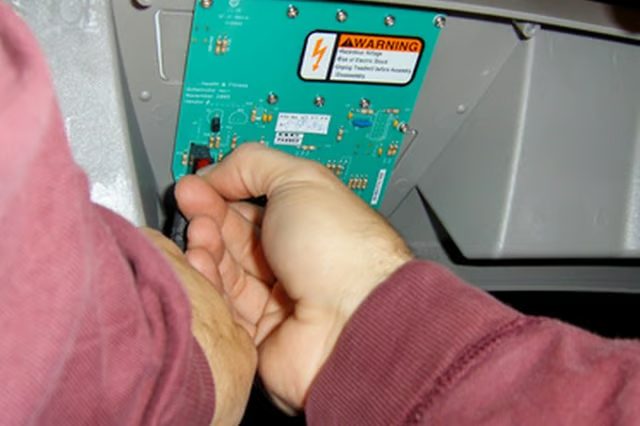
The way to tell if your NordicTrack digital console is bad is to troubleshoot it first. If nothing works, you've got a bad console. The digital console is an important part of exercising. A manual machine will still work even if the console doesn't, but an automated machine needs the console to work so you can adjust things like speed, resistance and incline. You also can't use programs or see your time, distance or estimated calories burned without a working console. The two most common reasons that a console will be dim, display bad results, or won't turn on are bad batteries and a problem with the reed switch.
Replace the Batteries
Replace the batteries first, if your machine has batteries. A manual machine such as the NordicTrack MTN 740 will not need batteries, and instead the console is powered by your moving the steps. Check your manual if you are unsure of which batteries to buy. Different machines will require different batteries. The NordicTrack Mini Stepper uses watch batteries, but larger machines will likely need AA or D batteries.
Take off the cover to the battery compartment. Remove and discard the old batteries. Replace all of the batteries, not just one if you happen to have one good one. Align them correctly with the "+" and "-" signs as shown on the compartment.
Replace the battery cover and attempt to turn on the console.
Reset the Circuit Breaker
Check the circuit breaker. A machine such as the NordicTrack CXT 990 will have a circuit breaker located on the front of the machine. The console will not work if the circuit breaker is tripped.
Push the circuit breaker in if it protrudes until it sticks.
Try to turn on the console. Check the circuit breaker for your house if this does not fix the console problem.
Adjust the Reed Switch
Inspect the reed switch as the information on the display will not be true if the reed switch is too far from the flywheel on NordicTrack machines such as the MTN 740.
Unscrew the two M10 by 82mm button bolts on the right pedal bracket. Unscrew the two M10 nylon locknuts. Pull off the pedal bracket and set aside.
Remove the two M4 by 38mm screws. Remove the three M4 by 25mm screws. Slide the right side shield off to expose the flywheel, magnet reed switch.
Unscrew the screw that holds the reed switch in place but do not remove it. Slide the reed switch toward the flywheel but leave enough space that the magnet can move freely. Replace the shield and bracket.
Tips
If none of these fixes work then your console is probably bad. Call NordicTrack customer service for a new part or service.